Seamless Onboarding
Getting started is intuitive. Follow our step-by-step video guide to configure your workspace and launch your first project in minutes, no complex setup required.
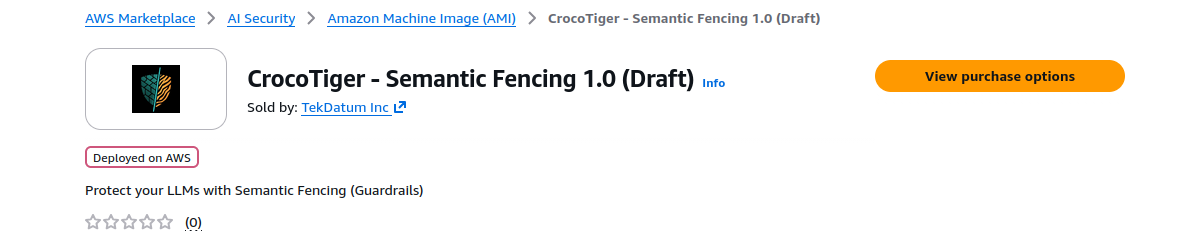
Crocotiger is available on the AWS Marketplace.
Locate and click the orange View purchase options button at the top right of the page.
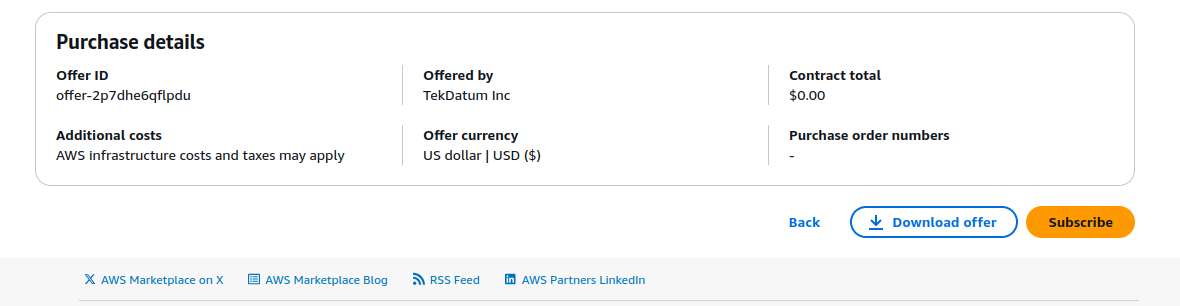
Scroll down to the bottom of the configuration page and click the Subscribe button to finalize access.
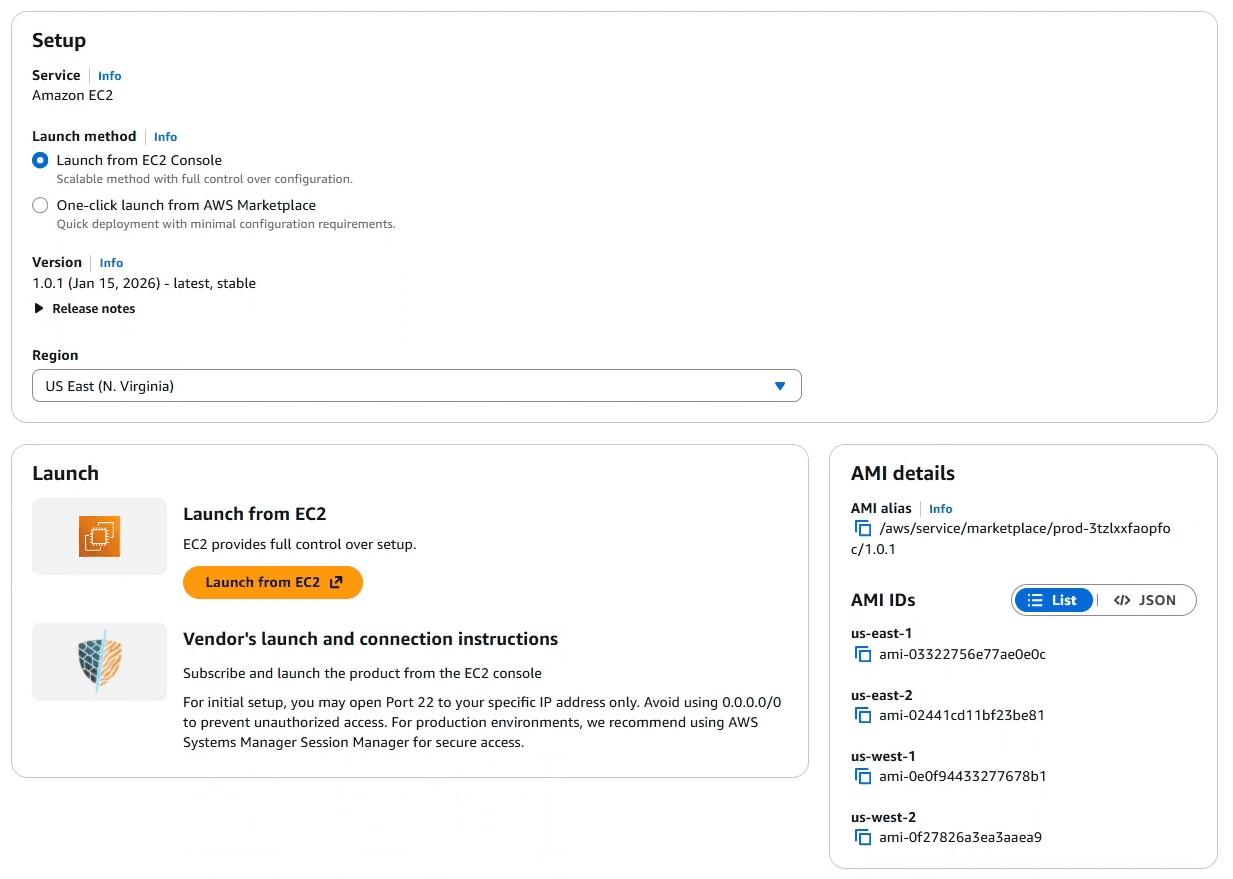
A confirmation section will appear. Click the Launch your software button to proceed.

Select the Launch from EC2 Console option select your preferred AWS Region and click Launch from EC2.
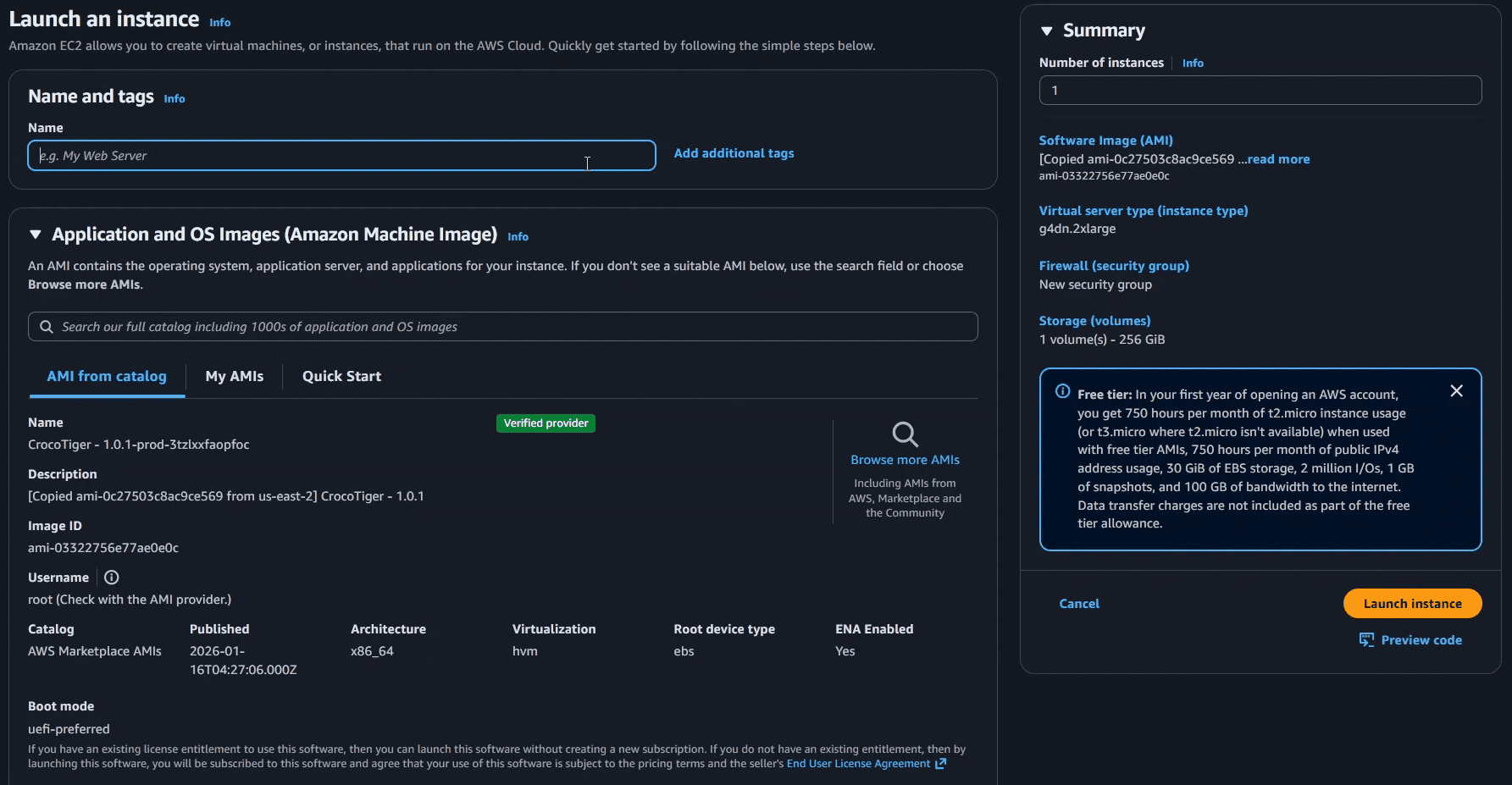
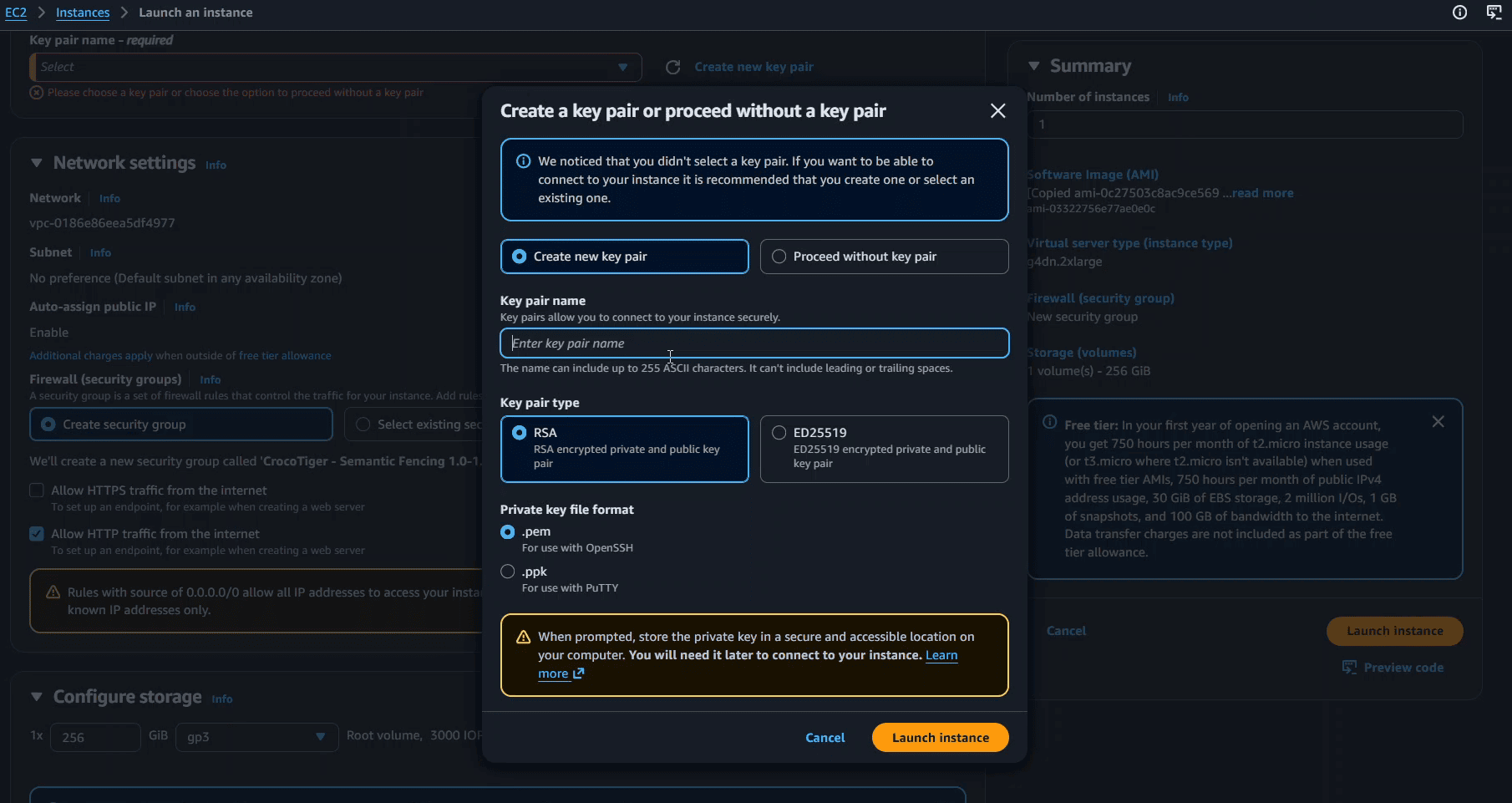
Write a name for your instance and click Launch instance. Scroll down to see the instance details. AWS will ask you to create a key pair. If you don't have a key pair, create a new one to connect to your instance.
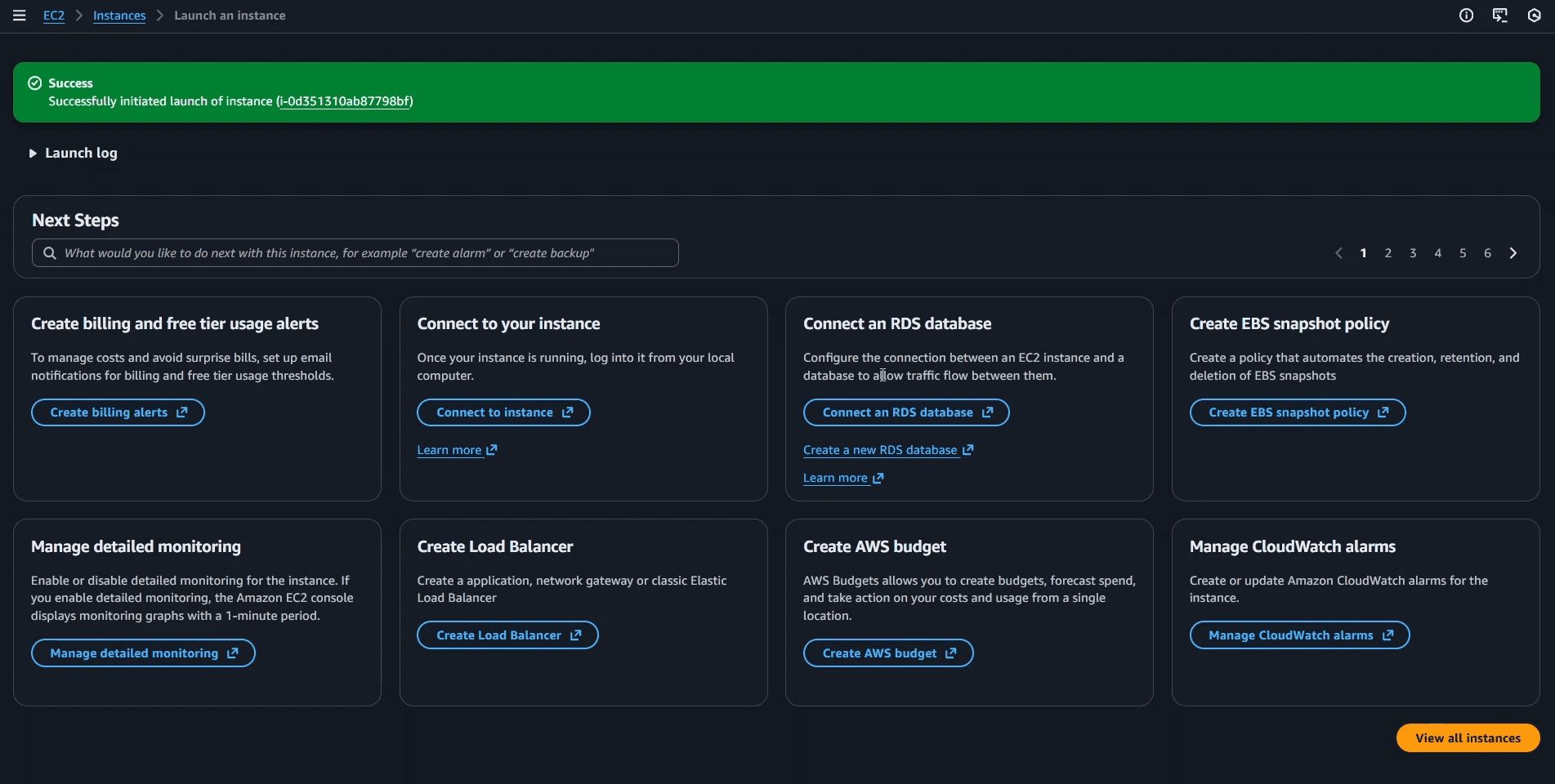
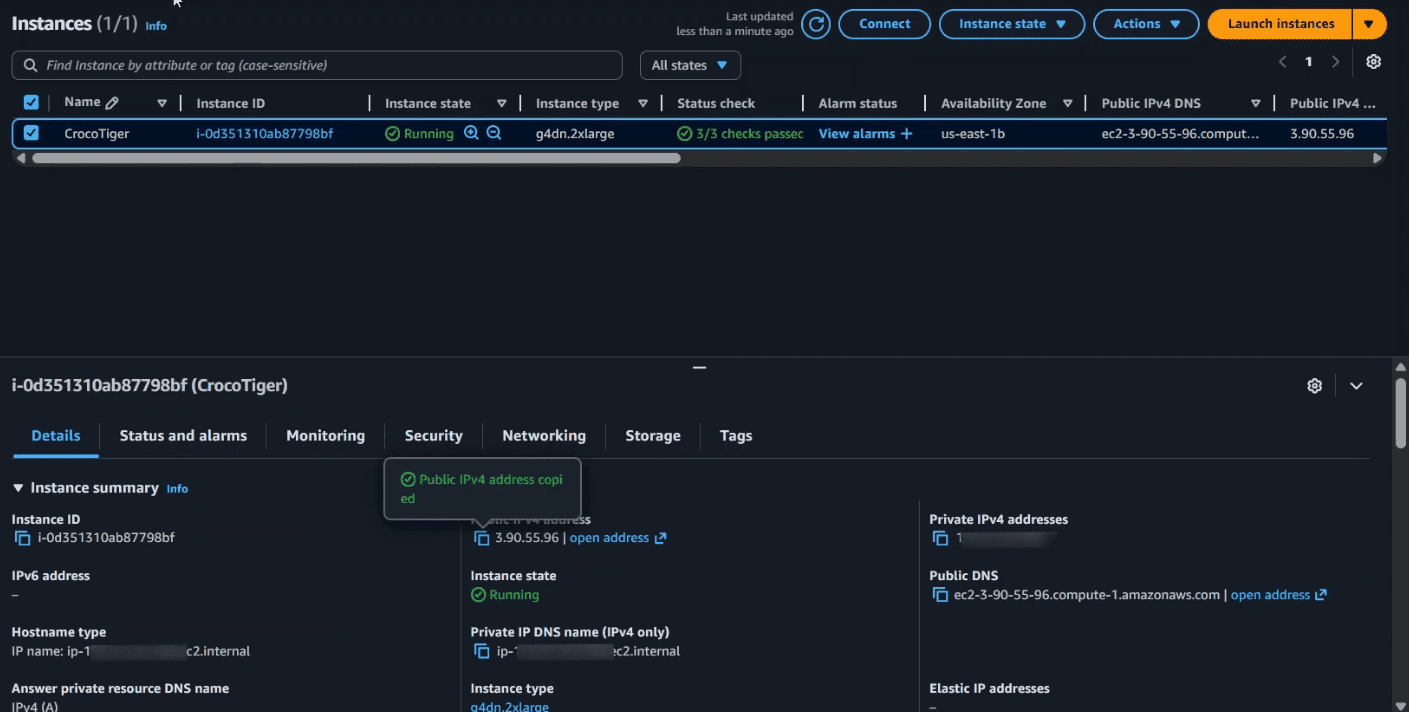
A success message will appear. Click the View all instances button to see your new instance.
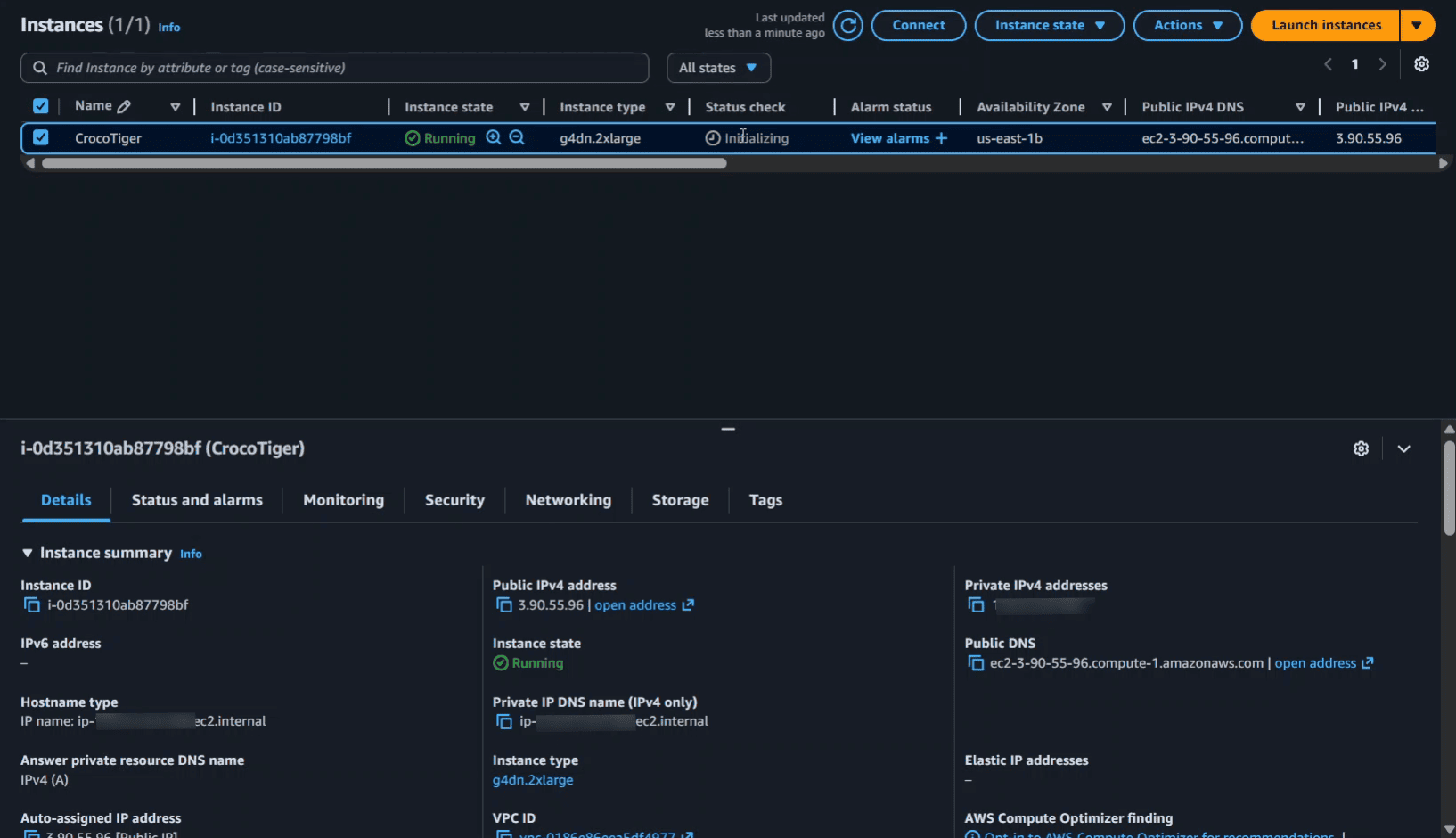
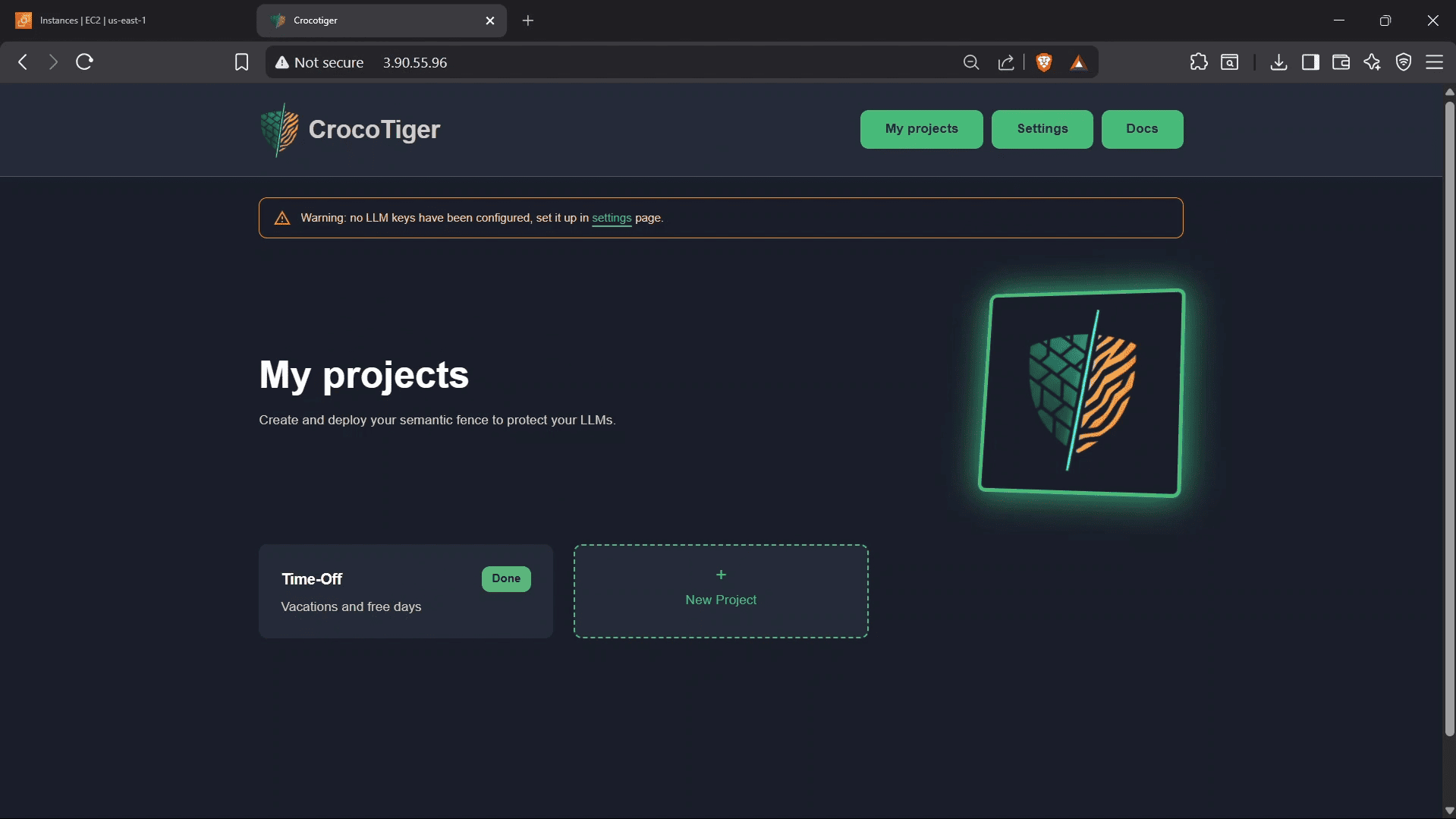
Select your instance and copy the public IP address to open it in your browser.
Getting started is intuitive. Follow our step-by-step video guide to configure your workspace and launch your first project in minutes, no complex setup required.